How to open email Attachment with your iOS Application ?
Rabu, 03 Oktober 2012
0
komentar
Confuse !! How Dropbox or any PDF Reader kind application can open(handle) files of your email!!
For example, PDF Expert or any other PDF viewer is installed in you device, and when you tried to open PDF file from Email, it will ask Open In "PDF Expert" or Open In "PDF Viewer".
Let's go and make a application which can open ".xml" file and ".m" source-code file.
Add below XML code to info.plist file of your project.
your Info.plist will look like below,
Now, Run your project any device.
Send e-mail containing attachment as .XML and .m files
You can see attachment will have option to Open In "YOUR_APP".
See below Screenshots of my device,
XML File,
.m File,
See full list of supported extensions (UTIs) here.
You can handle this file in AppDelegate.m, See below code.
Thanks for reading the Article.
Follow me @ Just iOS
Contact Us @ Solution Analysts Pvt. Ltd.
For example, PDF Expert or any other PDF viewer is installed in you device, and when you tried to open PDF file from Email, it will ask Open In "PDF Expert" or Open In "PDF Viewer".
Let's go and make a application which can open ".xml" file and ".m" source-code file.
Add below XML code to info.plist file of your project.
your Info.plist will look like below,
 |
| Info.plist |
Send e-mail containing attachment as .XML and .m files
You can see attachment will have option to Open In "YOUR_APP".
See below Screenshots of my device,
XML File,
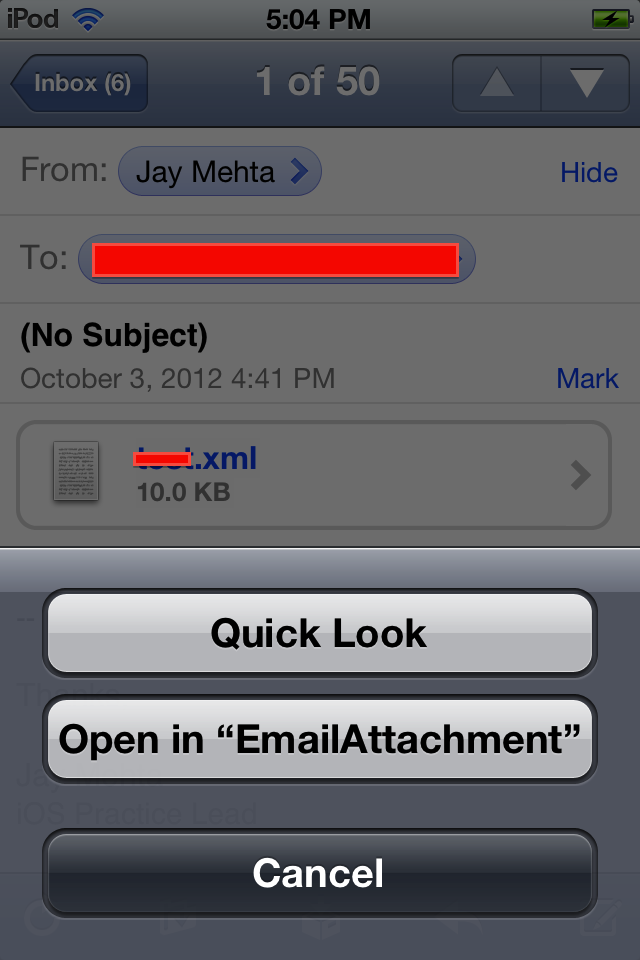 |
| XML file |
.m File,
 |
| .m File |
You can handle this file in AppDelegate.m, See below code.
Thanks for reading the Article.
Follow me @ Just iOS
Contact Us @ Solution Analysts Pvt. Ltd.
Baca Selengkapnya ....


++-+iPhone+%7C+iPod+%7C+iPad+Application.png)
+iPhone+%7C+iPod+%7C+iPad+Applications.png)
